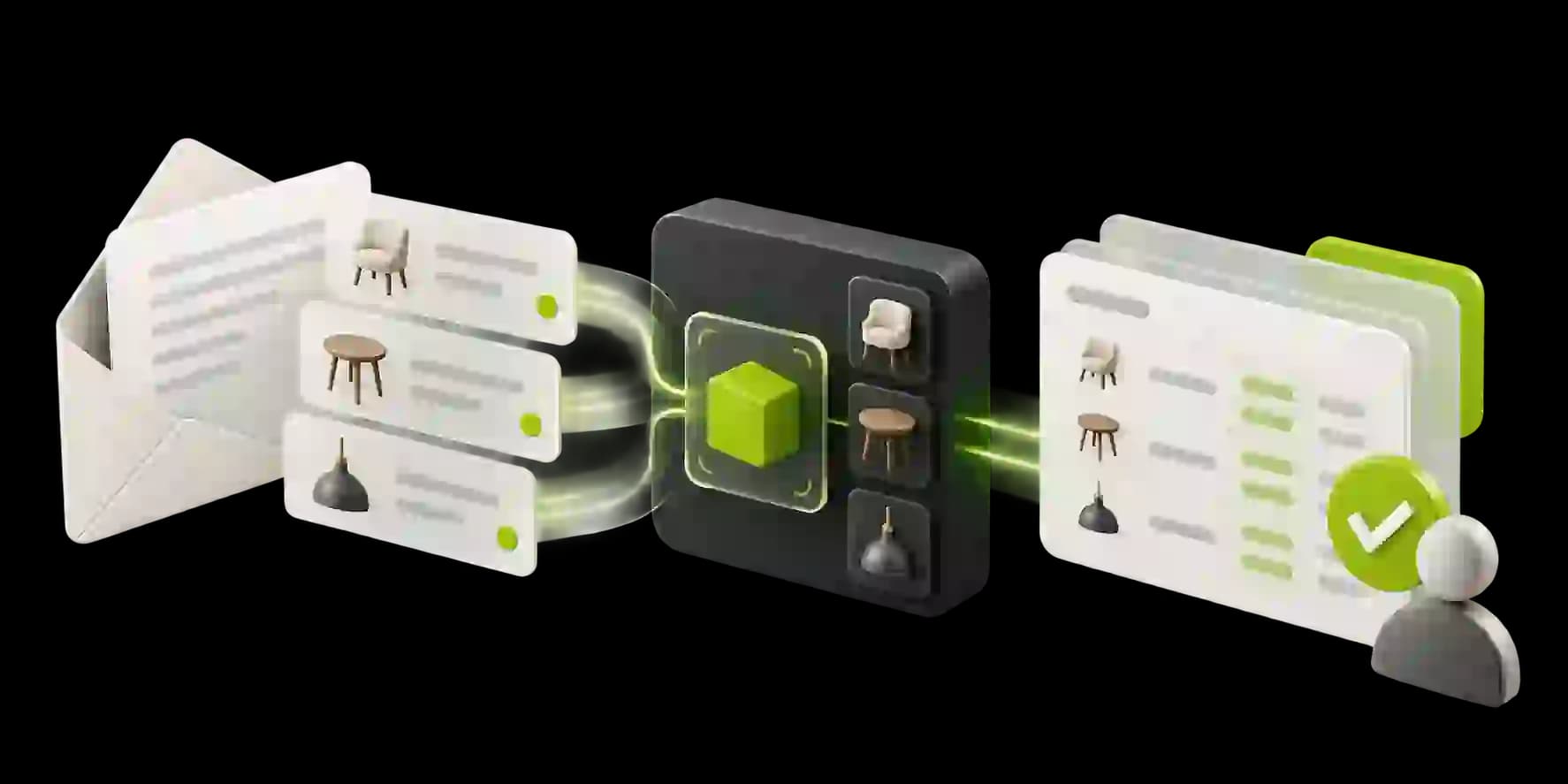
CASE STUDY / MANUFACTURING & DISTRIBUTION
All case studiesFrom Messy Email Orders to ERP-Ready Drafts
How a technical wholesaler connected AI-powered order extraction, product matching and ERP integration to prepare customer orders from emails and attachments—while keeping staff in control of approvals and exceptions.
01THE CHALLENGE
Every incoming order created work before the warehouse could begin fulfilling it.
For a wholesaler, receiving an order should be the beginning of fulfillment, not another lengthy data-entry task.
But when customers order through emails, PDF attachments, spreadsheets and photographed handwritten lists, those requests don't arrive in a format the business can immediately process.
For one technical wholesaler, internal staff were spending substantial time interpreting customer orders, finding the correct products and entering each line into the company's ERP system.
The difficulty went beyond reading the documents. Customers frequently used their own product numbers, outdated descriptions or informal references that didn't directly match the supplier's catalog.
We implemented an AI-assisted order intake system that reads incoming requests, extracts order details, matches customer descriptions to actual inventory items and prepares draft orders in the existing ERP.
Routine orders can move through the preparation workflow with less manual entry, while uncertain items and defined business exceptions are routed to employees for review.
Customer orders were inconsistent: business customers submitted purchasing-system PDFs, spreadsheets, email text and photographed handwritten lists. Earlier recognition handled only limited familiar PDF layouts, leaving staff to inspect and manually prepare the rest.
Product descriptions did not always match the catalog. Customer-specific references, old descriptions, brands, measurements and informal terms required employees to search the catalog and decide which inventory item was actually intended. That work depended on product knowledge and created selection-error risk.
Manual entry delayed correction and fulfillment. Employees transferred quantities, customer details and delivery information into the ERP, where transcription mistakes or incorrect product selections could create downstream corrections and credit notes. Later orders could also miss their preparation window.
The automation needed to reduce repetitive entry without removing control. Handwritten requests, unknown products, unfamiliar customers and unusual delivery requirements still need human attention, even when the system can prepare a useful draft.
02WHAT WE BUILT
An AI order intake system connecting customer requests, product matching and ERP draft creation.
We implemented a connected order-processing workflow that interprets incoming messages, extracts order information and uses the company's existing catalog to prepare structured ERP records.
The system combines document understanding, AI-assisted matching, configurable business rules and a review interface for the internal team.
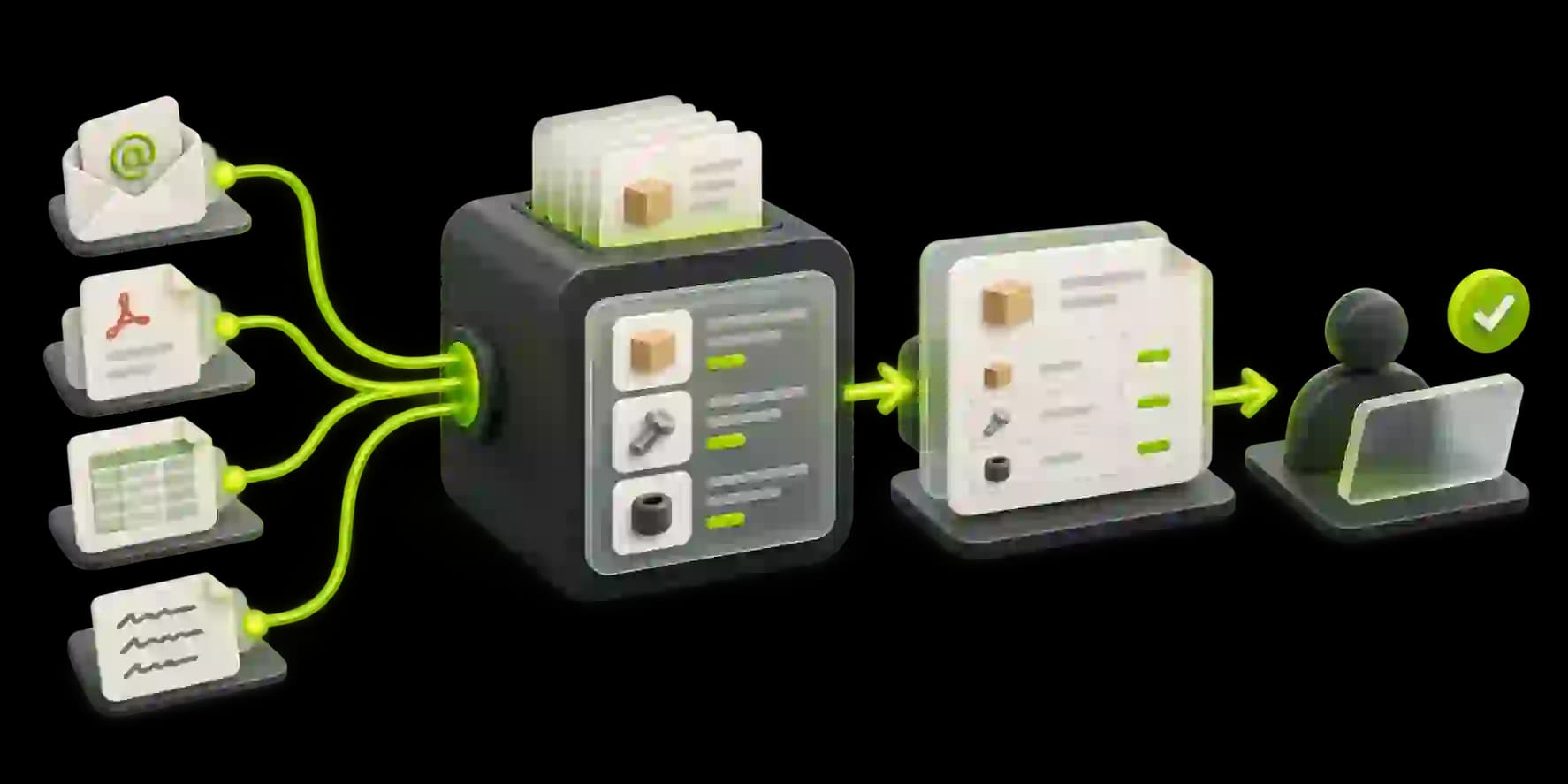
Multi-format order intake and extraction: A shared order mailbox receives email text, PDFs, spreadsheets and photographs. The workflow identifies the customer, order details, requested items, quantities and delivery information. Handwritten content is handled more cautiously and can be directed to review when the source is difficult to interpret.
Customer-specific product matching: The matching process works with the existing catalog, including alternative descriptions, customer references and relevant product attributes. Semantic matching is combined with confirmed mappings so the system can recognize business-specific language without inventing products that are not in the catalog.
Line-level confidence and exception handling: Uncertain order lines are highlighted rather than confirmed. Configured rules can route unfamiliar customers, high-value orders, unknown products and non-standard delivery requirements to employees. These business rules operate independently from AI confidence and can require review even when an AI match appears strong.
ERP integration and draft-order preparation: The workflow connects to the configured ERP and prepares customer, product, quantity and delivery fields. It can retrieve relevant stock and customer-specific pricing information for the draft, but the result remains subject to checking before it is finalized. Draft creation is not a final operational commitment.
Review interface that captures corrections: Employees can compare the original request with the extracted order, inspect proposed product matches and correct questionable lines before approval. Confirmed corrections can be retained as customer-specific product references so later matching has more useful operational context.
03HOW IT WORKS
From an incoming customer email to a reviewed ERP order.
The workflow follows five main stages, with separate paths for routine orders, uncertain product matches and business-rule exceptions. Uncertain items are directed to employees, and fixed business-rule exceptions still require review even when the AI appears confident.
- 01
Identify and interpret the incoming order
The shared order mailbox receives customer messages and supported attachments. The workflow determines whether the content represents an order and extracts the customer, requested items, quantities and delivery information from the available email, PDF, spreadsheet or photographic content.
- 02
Match requested products to the catalog
Each requested line is compared with the existing product records, alternative descriptions, customer references and confirmed mappings. The system identifies a proposed inventory match and keeps the line visible for review when the available evidence is uncertain.
- 03
Apply confidence and business-rule checks
Routine lines can continue through preparation, while uncertain matches, handwritten requests and configured exceptions are routed to an employee. Fixed rules for defined customer, product, order and delivery conditions take precedence over an AI confidence signal.
- 04
Create the draft order in the ERP
The workflow associates the reviewed customer and inventory items with quantities and delivery details in the configured ERP. It can retrieve relevant stock and customer-specific pricing information for the draft, but draft creation is not a final commitment, reservation or automatic shipment action.
- 05
Review, approve and retain confirmed corrections
Employees compare the original request with the prepared order, correct questionable lines and approve the result through the established process. Confirmed customer-specific references can be retained for later matching, while fulfillment continues only after the appropriate approval.
04THE IMPACT
Order entry becomes a review-led process instead of a repeated transcription task.
The implementation establishes a connected order-preparation process for incoming wholesale requests. The qualitative outcomes below describe the capabilities and operating shift established by the workflow; numerical improvements have not been independently confirmed for publication. The important change is moving from repeated transcription toward structured preparation, exception handling and employee approval.
Routine orders can be prepared without retyping every line
Supported order content can be extracted and assembled into a structured draft, reducing the amount of repeated line-by-line entry required before review.
Customers can keep using familiar ordering formats
Email text, PDFs, spreadsheets and supported photographs can enter the same preparation workflow, so customers do not need to adopt a new ordering interface simply for the business to begin processing their requests.
Product matching draws on confirmed catalog information
Proposed order lines are grounded in the existing catalog and can reuse confirmed customer-specific references instead of relying on unrestricted product generation.
Employees can focus on exceptions and approval
The workflow highlights uncertain lines and configured business exceptions so staff can spend their attention on product judgment, unusual requirements and final review.
ERP preparation and fulfillment are more closely connected
The draft order is prepared within the configured operational system, creating a clearer handoff from incoming customer information to the existing approval and fulfillment process.
05KEY TAKEAWAYS
Reliable order intake keeps product judgment and approval in the workflow.
- 01
Document extraction alone doesn't solve wholesale order entry.
Reading an email or attachment is only the first step. A useful wholesale workflow must also understand order lines, quantities, customer context and the next operational record that needs to be prepared.
- 02
Product matching needs business-specific knowledge.
Customer references, old descriptions and informal terminology are part of how real businesses order. Matching improves when the workflow can use the existing catalog and retain confirmed mappings.
- 03
Confidence scores must work alongside fixed business rules.
An AI match can appear plausible while a customer, product or delivery condition still requires review. Configured rules provide an independent control layer for exceptions that should not be bypassed.
- 04
Corrections become more valuable when the process can reuse them.
When employees confirm how a customer refers to a product, that correction can become useful operational context for future orders rather than disappearing after a single manual fix.
06NEXT STEP
Still turning customer emails into ERP orders by hand?
If your team spends time interpreting PDF orders, matching customer product descriptions or transferring order lines into an ERP, there may be an opportunity to automate the preparation without losing control over exceptions.
At 99xAutomation, we design and implement AI systems that connect incoming business information with existing operational software, helping teams reduce repetitive work while maintaining practical approval controls.